Self-paced course · Advanced · 41 lessons
MAKE SHINY YOURS.
CustomiZing WidgetZ
Build custom Shiny inputs, outputs, and htmlwidgets from scratch, the deep R/JS interface skills that make you the developer who can build what other Shiny devs can't.
An agent can scaffold the app in minutes. This course is about the structure that survives a second user and a second contributor.
Who it is for. Shiny developers who want to go under the hood, custom widgets, JavaScript integration, and htmlwidgets.
Three things you leave with.
Custom Shiny inputs and outputs, built from scratch
R-to-JavaScript communication over the WebSocket
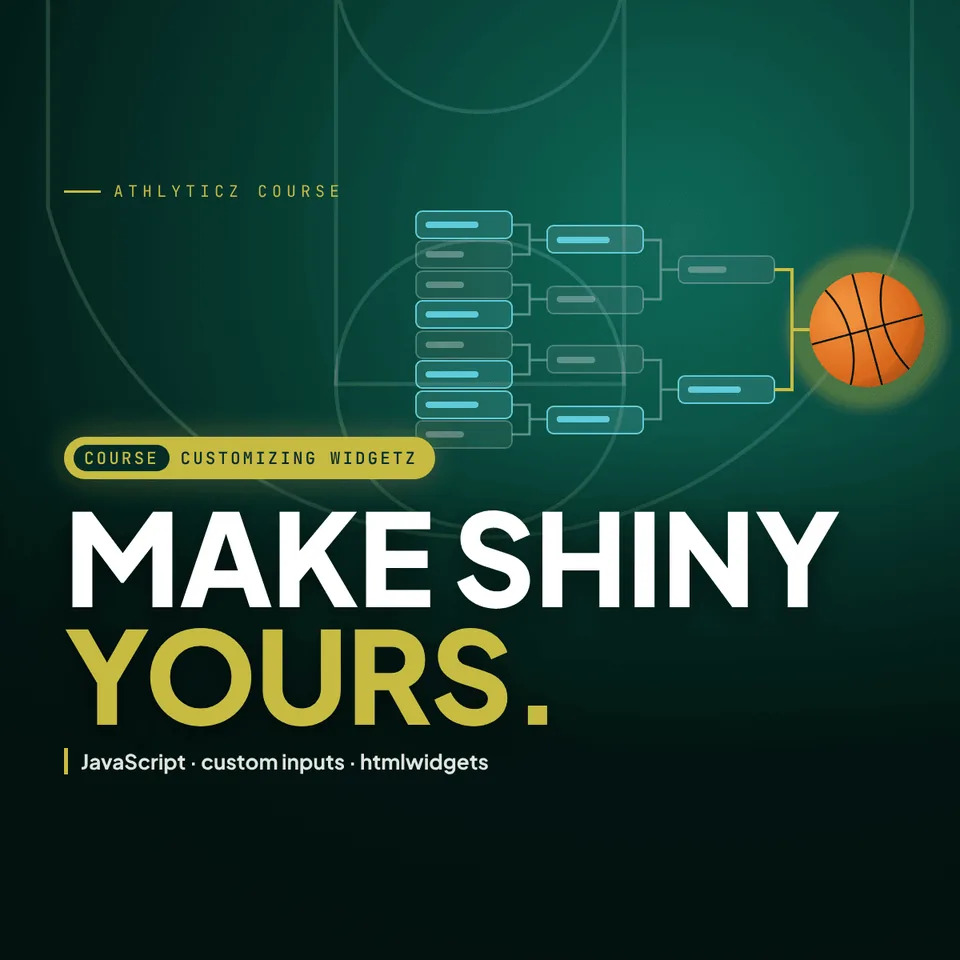
Your own htmlwidget, an interactive bracket
- You're new to Shiny, build fundamentals first
- You never need custom components
- You want Python
- You want surface-level, not internals
Run the code, in your browser.
The chart on this page, drawn by code you can edit. R runs on webR and Python on Pyodide; nothing loads until you press Run, and nothing you type leaves the page.
Edit me: Change the sample size from 18 to 120 per pitch and run again, or add a column to the summary.
Data: Pitch movement and whiffs (pitch_movement.csv). Simulated for practice by AthlyticZ (agents/sim_data.py, seed 20261109). License CC BY 4.0.
The code runs in your browser on webR or Pyodide; nothing you type leaves the page.
Everything that exists for this course, and nothing that does not.
- Every lesson41 lessons in 13 sections, yours to keep
- Project files and codeEvery notebook, dataset and finished build, to keep and adapt

Director @ Hypebright B.V.
Teaches the course the way the work is done in the role above. The team page lists everything they teach here.
Also teaches The Pit Stop, ProductioniZing Shiny Applications, Mobile StructureZ, The No-Look Pass.
The off-the-shelf widget does not do what the analysis needs, and the gap between R and the browser is where most Shiny work stalls.
Three decisions it teaches- How Shiny talks to JavaScript over the socket, in both directions
- When to build a custom component and when to bind to an existing library
- How to keep a custom widget maintainable after you have moved on
The artifact. Custom components wired into a Shiny app, with the R-to-JavaScript bridge you can reuse.
41 lessons in 13 sections, 12 quizzes. Every lesson is yours to keep.
Introduction to the Course2 items
- Making Outstanding Shiny Apps Elevating our app development skills
- Introducing Outstanding User Interfaces by David Granjon An expert's insights on UI design
Package Development3 items
- The Why and How Understanding the rationale and methodology
- Package Development Workflow Streamlining the development process
- Quiz: Package Development quiz
Web Application Concepts5 items
- The Client-Server Model and HTTP Requests Navigating app interactions
- Quiz: The Client-Server Model quiz
- WebSockets Real-time communication techniques
- The Shiny App Lifecycle Managing app states and transitions
- Quiz: The Shiny App Lifecycle quiz
Discover Shiny Dependencies3 items
- Understanding Dependencies in Shiny Applications Grasping application requirements
- Bootstrap Styling with Bootstrap framework
- jQuery Enhancing interactivity with JQuery
Handle HTML dependencies with {htmltools}3 items
- Declaring and Attaching Dependencies Managing resource dependencies
- Resolving Dependency Conflicts Addressing compatibility issues
- Quiz: Handle HTML Dependencies quiz
JavaScript for Shiny5 items
- Introduction to JavaScript Getting started with JavaScript
- jQuery Syntax Mastering JQuery basics
- Adding JavaScript to Shiny Integrating JavaScript into your apps
- Quiz: Adding JavaScript to Shiny quiz
- Using External JavaScript Libraries Leveraging external resources
Communicate between R and JS4 items
- Data Exchange between R and JS Bridging the gap between R and JavaScript
- Sending Messages through the WebSocket Transmitting data with WebSockets
- Receiving Messages through the WebSocket Receiving and handling WebSocket data
- Quiz: Communication Between R and JS quiz
Managing JS and CSS6 items
- The Need For Asset Management Optimizing resource handling
- Organize Your JS and CSS Files Structuring your project assets
- Bundling Your JS and CSS Code Optimizing asset delivery
- Bundling Components Streamlining component integration
- Quiz: Bundling Components quiz
- Working with npm Managing packages with npm
Shiny Inputs8 items
- Input Bindings Binding user inputs
- Quiz: Input Bindings quiz
- Updating Inputs Dynamically updating user inputs
- Building A Complex Custom Input (Part 1) Input customization steps
- Building A Complex Custom Input (Part 2) Input customization steps
- Building A Complex Custom Input (Part 3) Input customization steps
- Summarizing the Input Lifecycle Understanding input state management
- Quiz: Summarizing the Shiny App Lifecycle quiz
Shiny Outputs3 items
- Output Functions Generating output elements
- Output Bindings Binding output elements
- Quiz: Shiny Outputs quiz
Mastering Shiny Events3 items
- Exploring Event Types Understanding event handling
- Custom Loaders Implementing custom loading indicators
- Quiz: Mastering Shiny Events quiz
Design Widgets6 items
- Introduction to {htmlwidgets} An Overview of htmlwidgets
- Building {brackets} with {htmlwidgets} Creating custom widgets with htmlwidgets
- Advanced techniques in {htmlwidgets} (Part 1) Advancing our {htmlwidgets} knowledge
- Advanced Techniques in {htmlwidgets} (Part 2) Advancing our {htmlwidgets} knowledge
- Quiz: Advanced Techniques in {Htmlwidgets} quiz
- Updating Your Widgets Dynamic updates for our widgets
Course Recap and Next Steps2 items
- Course Summary Recapitulating key concepts
- What's Next?
Every section, every lesson.
From the academy course record, in the order it is taught. The first section is open; the rest fold out.
41 lessons in 13 sections, 12 quizzes. Every lesson is yours to keep.
Introduction to the Course2 items
- Making Outstanding Shiny Apps Elevating our app development skills
- Introducing Outstanding User Interfaces by David Granjon An expert's insights on UI design
Package Development3 items
- The Why and How Understanding the rationale and methodology
- Package Development Workflow Streamlining the development process
- Quiz: Package Development quiz
Web Application Concepts5 items
- The Client-Server Model and HTTP Requests Navigating app interactions
- Quiz: The Client-Server Model quiz
- WebSockets Real-time communication techniques
- The Shiny App Lifecycle Managing app states and transitions
- Quiz: The Shiny App Lifecycle quiz
Discover Shiny Dependencies3 items
- Understanding Dependencies in Shiny Applications Grasping application requirements
- Bootstrap Styling with Bootstrap framework
- jQuery Enhancing interactivity with JQuery
Handle HTML dependencies with {htmltools}3 items
- Declaring and Attaching Dependencies Managing resource dependencies
- Resolving Dependency Conflicts Addressing compatibility issues
- Quiz: Handle HTML Dependencies quiz
JavaScript for Shiny5 items
- Introduction to JavaScript Getting started with JavaScript
- jQuery Syntax Mastering JQuery basics
- Adding JavaScript to Shiny Integrating JavaScript into your apps
- Quiz: Adding JavaScript to Shiny quiz
- Using External JavaScript Libraries Leveraging external resources
Communicate between R and JS4 items
- Data Exchange between R and JS Bridging the gap between R and JavaScript
- Sending Messages through the WebSocket Transmitting data with WebSockets
- Receiving Messages through the WebSocket Receiving and handling WebSocket data
- Quiz: Communication Between R and JS quiz
Managing JS and CSS6 items
- The Need For Asset Management Optimizing resource handling
- Organize Your JS and CSS Files Structuring your project assets
- Bundling Your JS and CSS Code Optimizing asset delivery
- Bundling Components Streamlining component integration
- Quiz: Bundling Components quiz
- Working with npm Managing packages with npm
Shiny Inputs8 items
- Input Bindings Binding user inputs
- Quiz: Input Bindings quiz
- Updating Inputs Dynamically updating user inputs
- Building A Complex Custom Input (Part 1) Input customization steps
- Building A Complex Custom Input (Part 2) Input customization steps
- Building A Complex Custom Input (Part 3) Input customization steps
- Summarizing the Input Lifecycle Understanding input state management
- Quiz: Summarizing the Shiny App Lifecycle quiz
Shiny Outputs3 items
- Output Functions Generating output elements
- Output Bindings Binding output elements
- Quiz: Shiny Outputs quiz
Mastering Shiny Events3 items
- Exploring Event Types Understanding event handling
- Custom Loaders Implementing custom loading indicators
- Quiz: Mastering Shiny Events quiz
Design Widgets6 items
- Introduction to {htmlwidgets} An Overview of htmlwidgets
- Building {brackets} with {htmlwidgets} Creating custom widgets with htmlwidgets
- Advanced techniques in {htmlwidgets} (Part 1) Advancing our {htmlwidgets} knowledge
- Advanced Techniques in {htmlwidgets} (Part 2) Advancing our {htmlwidgets} knowledge
- Quiz: Advanced Techniques in {Htmlwidgets} quiz
- Updating Your Widgets Dynamic updates for our widgets
Course Recap and Next Steps2 items
- Course Summary Recapitulating key concepts
- What's Next?
What is yours when you enroll.
- Lifetime access Every module and lesson, yours to keep and revisit, forever.
- Project files and code Every notebook, dataset, and finished build, to keep and adapt.
- All future updates New lessons and refreshes as the tools move, at no extra cost.
- Self-paced Start today, go at your own pace, no cohort to wait for.
Refunds. If you enrolled and it is the wrong course for you, write to michael@athlyticz.com and a person will answer.
The ones that stop a purchase.
Is this included with Membership?
Yes. Membership includes this and the entire course catalog, plus the live Masterclass. If you plan to take more than a couple of courses, Membership is the better math.
Is this too advanced, or too basic, for me?
Shiny developers who want to go under the hood, custom widgets, JavaScript integration, and htmlwidgets. If the "not for you" list above reads like you, start elsewhere; if the outcome at the top reads like something you could use next week, it is pitched right.
What exactly do I get, and for how long?
13 sections · 41 lessons. Every lesson, the project files and code, and all future updates. Lifetime access: it is yours to keep.
Is it self-paced?
Yes. Start today and go at your own pace, with lifetime access to every lesson and all future updates.
Build custom Shiny inputs, outputs, and htmlwidgets from scratch, the deep R/JS interface skills that make you the developer who can build what other Shiny devs can't.
13 sections · 41 lessons, the project files, and every future update.
Enroll nowThis course, the whole catalog, and the Masterclass: every live session and every recording.
Get Membership